I Tried Bringing a Second Screen on the Road. It Didn't Survive the Rotation.
On high-frequency trips out of NYC, my gear has to work perfectly. Portable monitors promise desk-level productivity on the road, but in practice, they drain laptop batteries by half and add fragile plastic to my bag. I cut them from my rotation completely.
Why I bought it (context + expectation)
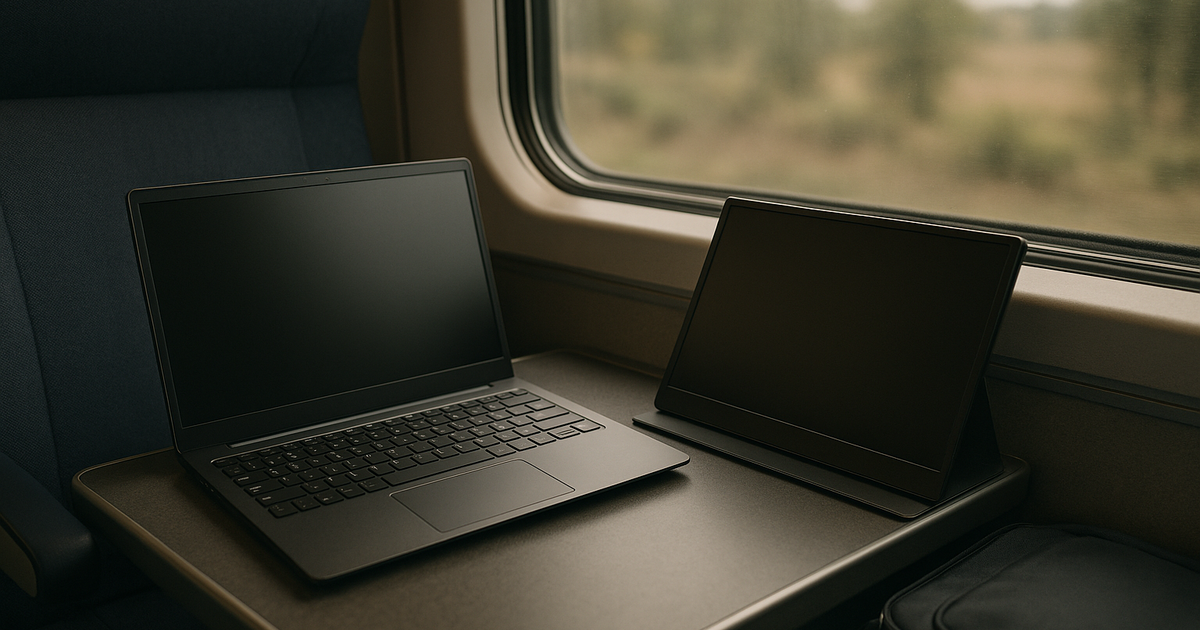
In a dimly lit Austin hotel room, trying to cross-reference three massive spreadsheets on a single 14-inch laptop screen, I hit a wall. The claustrophobia of a single display was slowing me down. I wanted the efficiency of my desk in my carry-on. Home in NYC is secondary to road kit reliability, so my mobile office has to be uncompromising. I eventually picked up the Dell Pro 14 Plus. My EDC weight is optimized to the gram where possible, and at just 1.3 pounds, it felt like a manageable addition. I also tested the 15.6-inch Plugable USB-C model to see if the larger IPS panel made a difference in my workflow.
How long I used it (timeline + frequency)
I gave these displays a fair run over two months of heavy transit. I keep only what survives three trips in a row. By the third trip, the setup friction heavily outweighed the screen real estate. I judge tools by airport-day behavior. Unpacking a secondary screen, finding the right cable, and balancing a folding stand on a tiny tray table is a terrible routine. After 20 segments, what broke first was my tolerance for the power management logistics.
Is it worth it (real gain)
In a cramped JFK Delta lounge with a two-hour delay, I pulled out the secondary screen to catch up on emails, only to watch my laptop battery plummet from 80% to barely 40% in under an hour. Hooking up a portable monitor via a single cable essentially asks your laptop to act as a power plant for a secondary engine. On a typical 60Wh laptop battery, this parasitic load reduces your working window by nearly half. I optimize for worst-case airport, not best-case desk. Losing 50% of my battery capability for an extra spreadsheet column is a catastrophic failure. If I cannot set it up in five minutes, no. It is simply not worth the operational risk.
Pitfalls (hidden costs + friction)
Battery drain is the primary killer, but hardware fragility is a close second. These monitors are largely constructed with flexible plastic rear casings that feel incredibly cheap. The hinges, ports, and screen bezels are especially vulnerable to wear and tear from constant setup and teardown. If you expose them to rough handling—like shoving them into a backpack without a bulky protective sleeve—they sustain internal damage easily.
Then there is the connectivity headache. My workflow is strictly USB-C-first; I hate adapter soup. However, USB-C ports are wildly inconsistent. Some monitors require a connection capable of providing a guaranteed 15W of power. If your laptop falls short, the monitor just displays a “low power” warning and stays black. Figuring out which port handles data, video, and enough power delivery requires too much mental overhead for a weary traveler.
Long-term changes (30/90/180 days)
I stopped trying to replicate a multi-monitor desk on the road entirely. I optimize for repeatable travel routines. Now, I rely solely on my primary laptop screen and aggressively manage my virtual desktop spaces. I use keyboard shortcuts to snap windows and toggle between full-screen apps. My carry-on fit is significantly slimmer, and my setup speed in transit is practically instantaneous.
Who this is not for (clear boundary)
If you are flying ~8–12 travel days/month, skip this category. These devices demand too much babying. Never pack them in checked luggage, as extreme temperatures and baggage handlers will destroy them. Furthermore, if your laptop's USB-C port is data-only and does not support video output, plugging one of these in will do absolutely nothing. They are distinctly bad choices for anyone prioritizing fast mobility and battery independence.
Alternatives (safer options)
Tentatively yes, a premium tablet is a vastly superior alternative for road warriors. I switched to using a 12.9-inch iPad Pro. It has its own dedicated battery, meaning it doesn't vampire-drain my laptop during a flight. It functions as a lightweight reading device in the airport terminal, and in the evening, I can wirelessly extend my Mac's display via Sidecar to get that second screen without touching a single cable.
One-line verdict (would I buy again?)
If setup friction grows, I cut it. Portable monitors drain too much battery and demand too much delicate care to survive a real travel schedule.
Related navigation: David persona channel, digital-productivity cluster, commute-and-business-travel scenario.